Agent Experience
Monitoring & Insights



How to measure AI share of voice
🚧 Scrunch recently shipped major product updates, so some parts of this guide may not match what you see in our platform today. We'll be updating the guide to match, but if you have questions in the meantime, please:
- Ask our in-app AI assistant, Scrunchie.
- Check out our Help Center.
- Reach out to your CSM.
Quick answer
Track AI share of voice from Scrunch's Home, Prompts Monitoring, and Citations tabs.
AI share of voice measures how often your brand is mentioned in AI responses compared to competitors. Here's how to track it:
Start in the Home tab for aggregate metrics:
- Competitive Presence: A side-by-side comparison of your brand's presence versus competitors across all configured AI platforms
- Top Brands: The top brands appearing in AI responses for your tracked prompts, ranked by average presence
Drill down in the Prompts Monitoring tab for topic- and prompt-level insights:
- Filter by Key Topics to see how your share of voice compares to competitors across subject areas
- Click into individual seed prompts to view brand and competitive presence by prompt variants across different AI platforms
- Review actual AI responses to see exactly how competitors show up alongside (or instead of) your brand
Go deeper in the Citations tab for source-level share of voice:
- Citations by Owner: The percentage of citations belonging to your brand, competitors, or third parties
- Top Domains Cited: Which domains are cited most often for your tracked prompts
- Domain or Page Topics: Which topics cited sources are related to
- Brand and competitor mentions: Whether your brand or competitors are mentioned within cited sources
Track changes over time: Use the date selector (default: last 12 weeks) to spot rising or falling AI share of voice trends.
Slice data with filters: Segment your analysis by AI platform, prompt topic, branded versus non-branded prompts, persona, funnel stage, country, and other filters.
Bottom line: The bigger your share of voice in AI responses, the less room there is for competitors—and the more likely customers are to discover and choose you.
Start here
Why you should measure AI share of voice
AI share of voice—aka how often your brand is mentioned versus competitors across AI responses—tells you how prominently your brand is being highlighted by LLMs. The smaller your share of voice, the likelier AI platforms are to mention or recommend your competitors. To optimize AI search performance, you need to understand how your share of voice compares to top competitors and work to increase it.
Here’s how to do it using Scrunch.
Before you begin:
- Log in to Scrunch or sign up for a free 7-day trial to follow along.
- Add your brand and website to the AI Context tab in Scrunch, including any alternate domains or subdomains you want to track.
- Customize your brand context in Scrunch (alternative brand names, key competitors, customer personas, key topics, etc.).
- Add prompts to track in the Prompts Monitoring tab in Scrunch (or let Scrunch’s AI generate prompts for you based on your brand or convert a list of SEO keywords into prompts).
Step 1: Track aggregate AI share of voice in the Home tab
Log in to Scrunch and navigate to the Home tab.
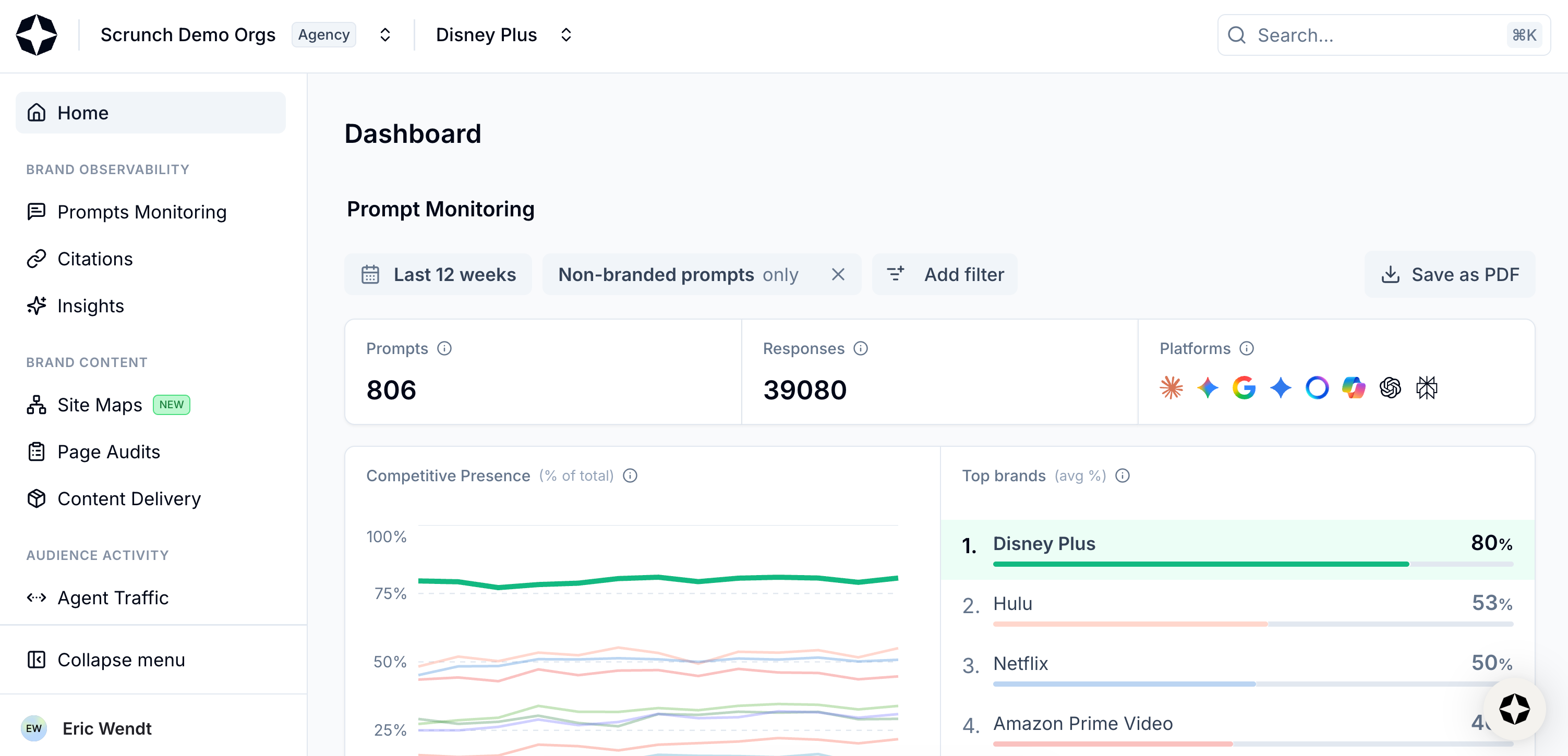
Select Home from left-hand sidebar
Scroll down to the panel for Competitive Presence.
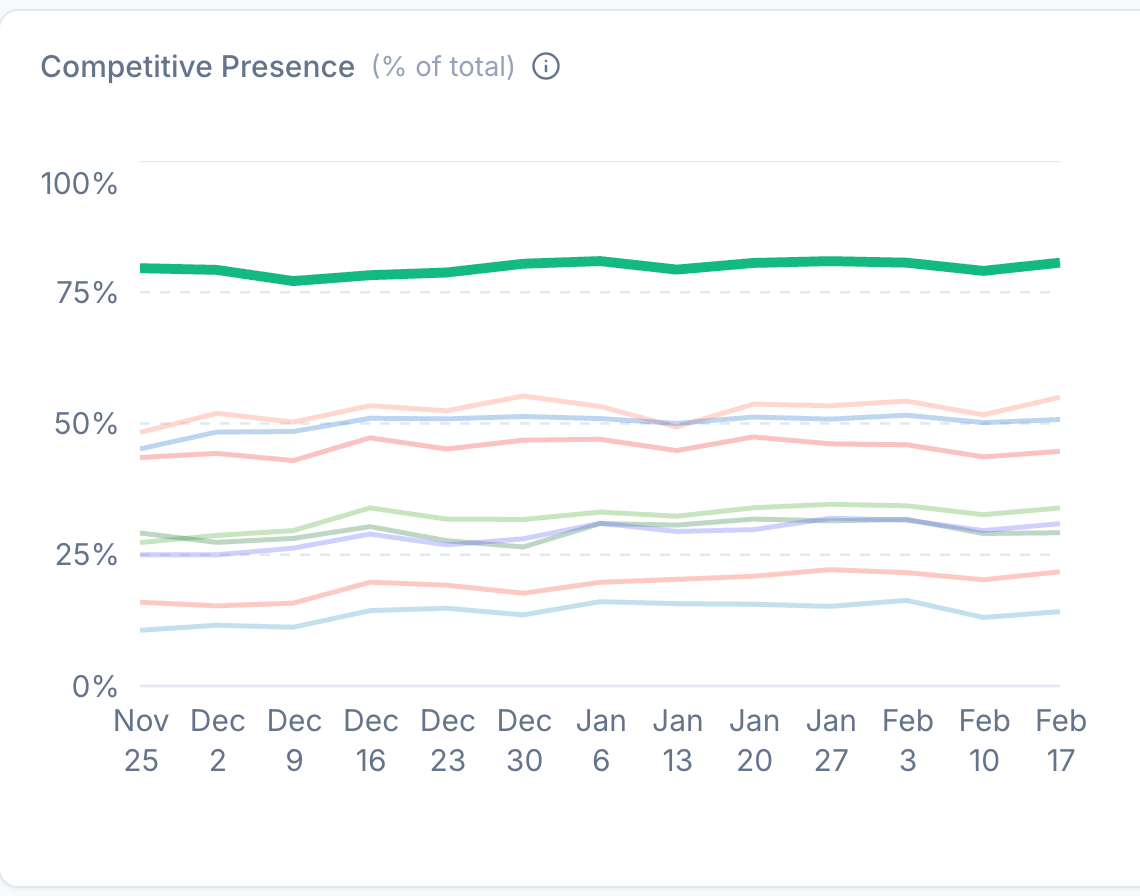
View Competitive Presence
This shows you a side-by-side comparison of your brand's presence versus competitors across all configured AI platforms over a selected time period.
📖 Scrunch definition: Brand presence
Brand presence is a measurement of how often a brand is explicitly mentioned in an AI-generated answer. Mentions that appear only inside cited URLs, page titles, or source snippets don't count toward brand presence unless the AI includes the brand directly in its answer.
To the right is the Top Brands panel. This shows you the top brands for the prompts you’re tracking over a selected time period based on average presence.
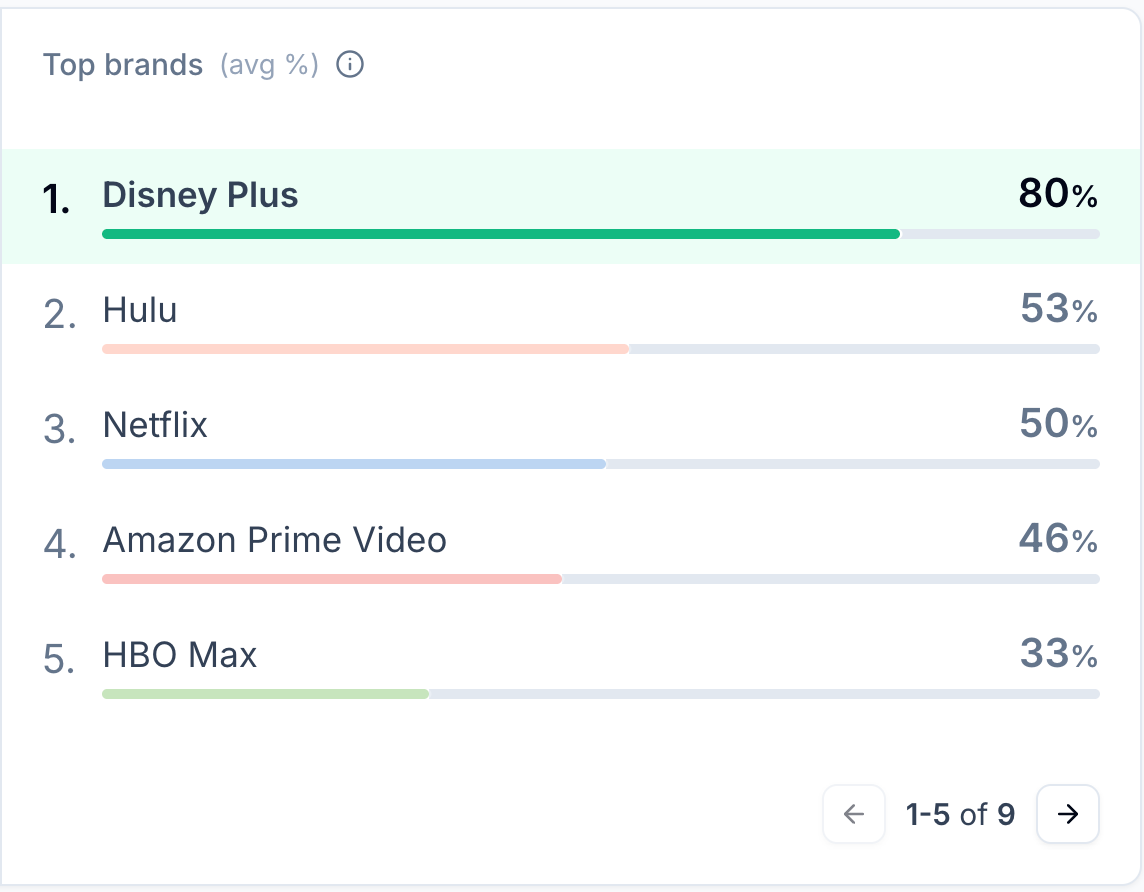
View Top Brands
Scrunch collects real responses across all configured AI platforms to identify brand mentions in responses and calculate competitive presence as a percentage.
You can see if your brand’s AI share of voice is increasing or decreasing over time by using the date selector at the top of the page (it’s set to the last 12 weeks by default).
Click the “Last 12 weeks” button to view your options or set a custom date range.
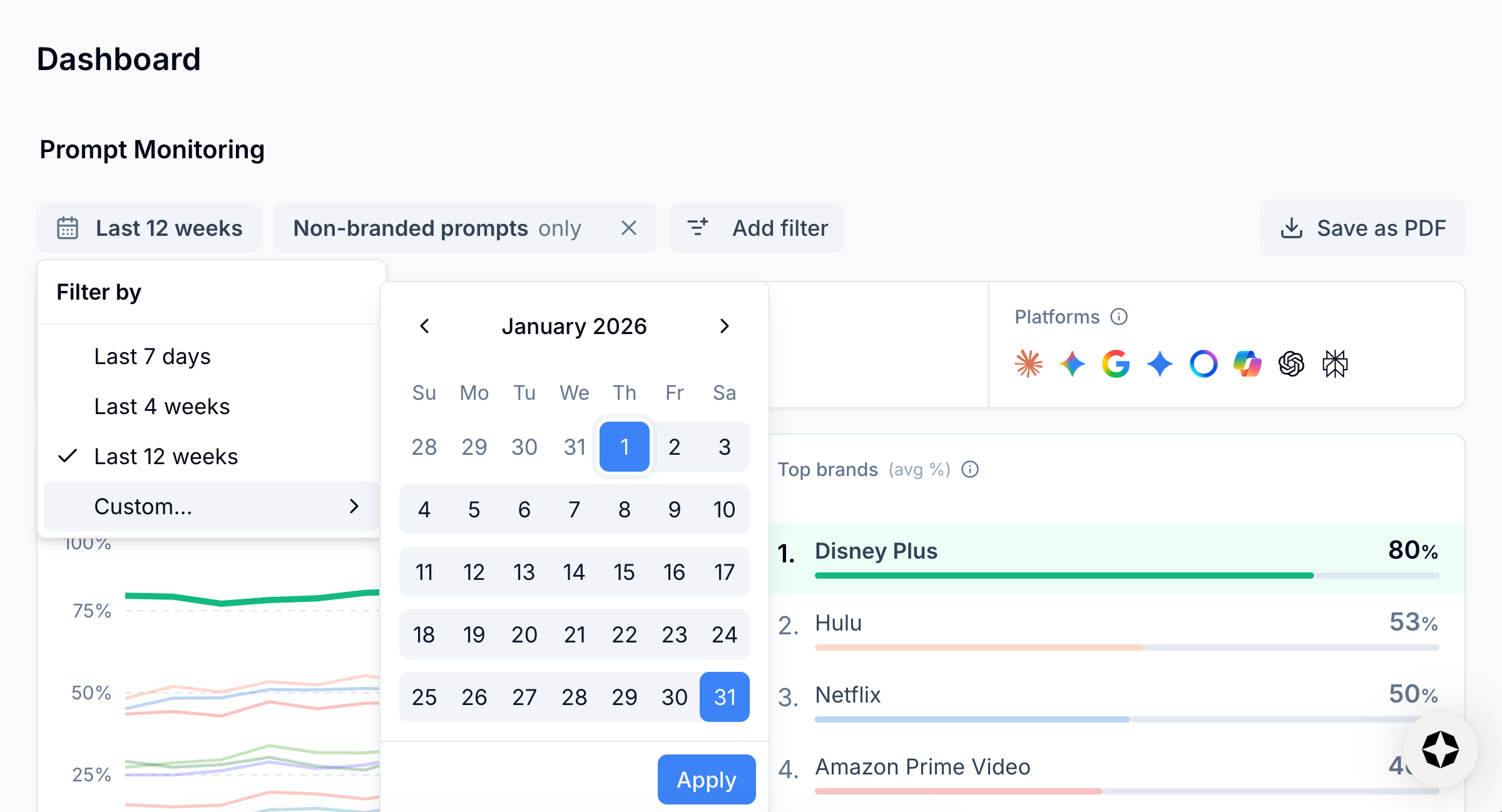
View date options
You can also filter your view of AI share of voice based on different dimensions, like AI platform, prompt topic, branded versus non-branded prompts, persona, funnel stage, country, and more.
Click the “Add filter” button at the top of the page to view your filter options.
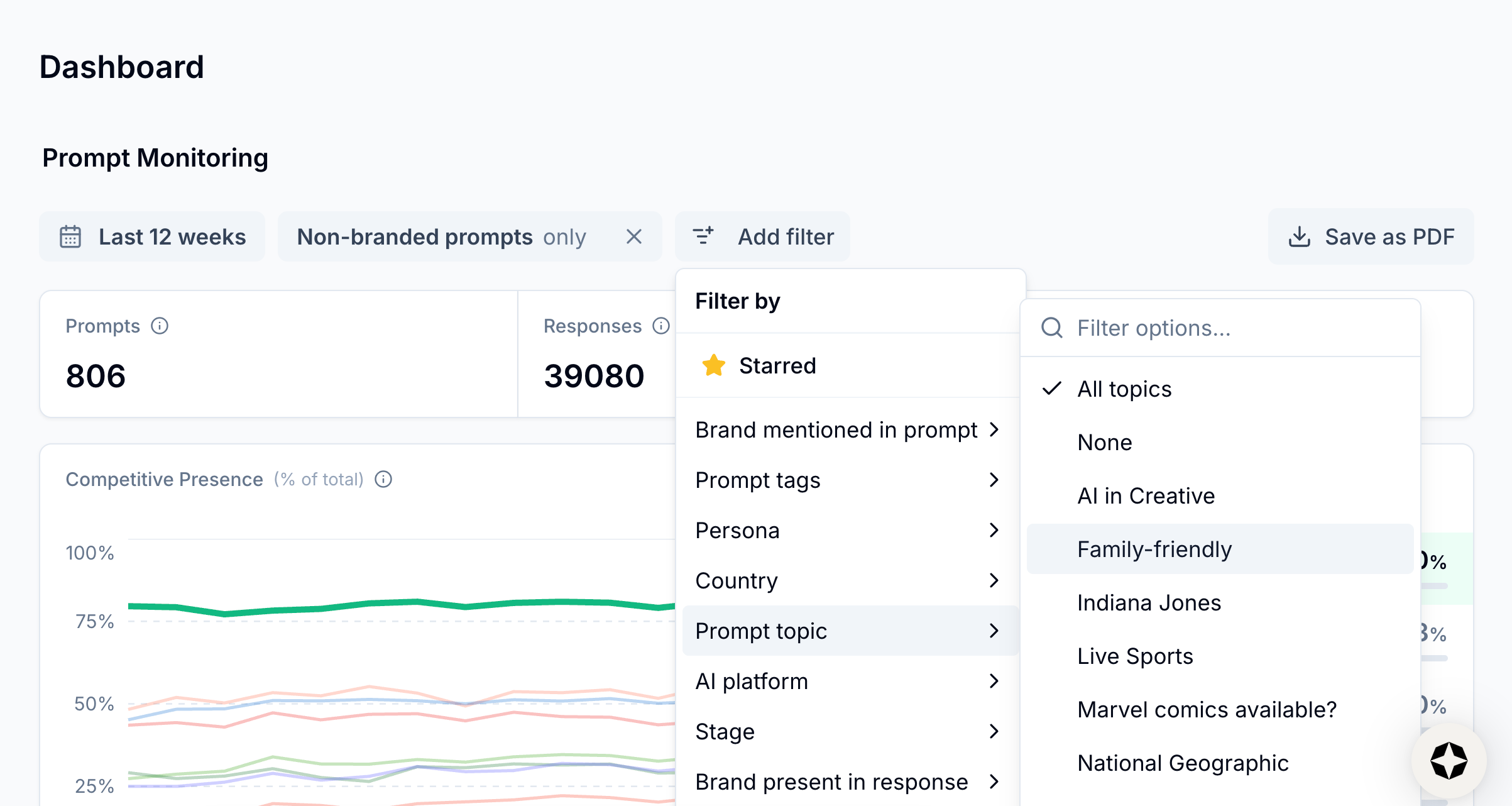
View filter options
💡 Pro tip: Scrunch recommends prioritizing high-intent, non-branded prompts that represent core product categories and audience demand. Identify and fill content gaps by updating or creating content that exceeds the quality of content currently being cited as a source by AI platforms.
Once you have a general overview of AI share of voice as a whole, you can dig deeper at the topic and prompt levels.
Step 2: Track topic- and prompt-level AI share of voice in the Prompts Monitoring tab
Navigate to the Prompts Monitoring tab.
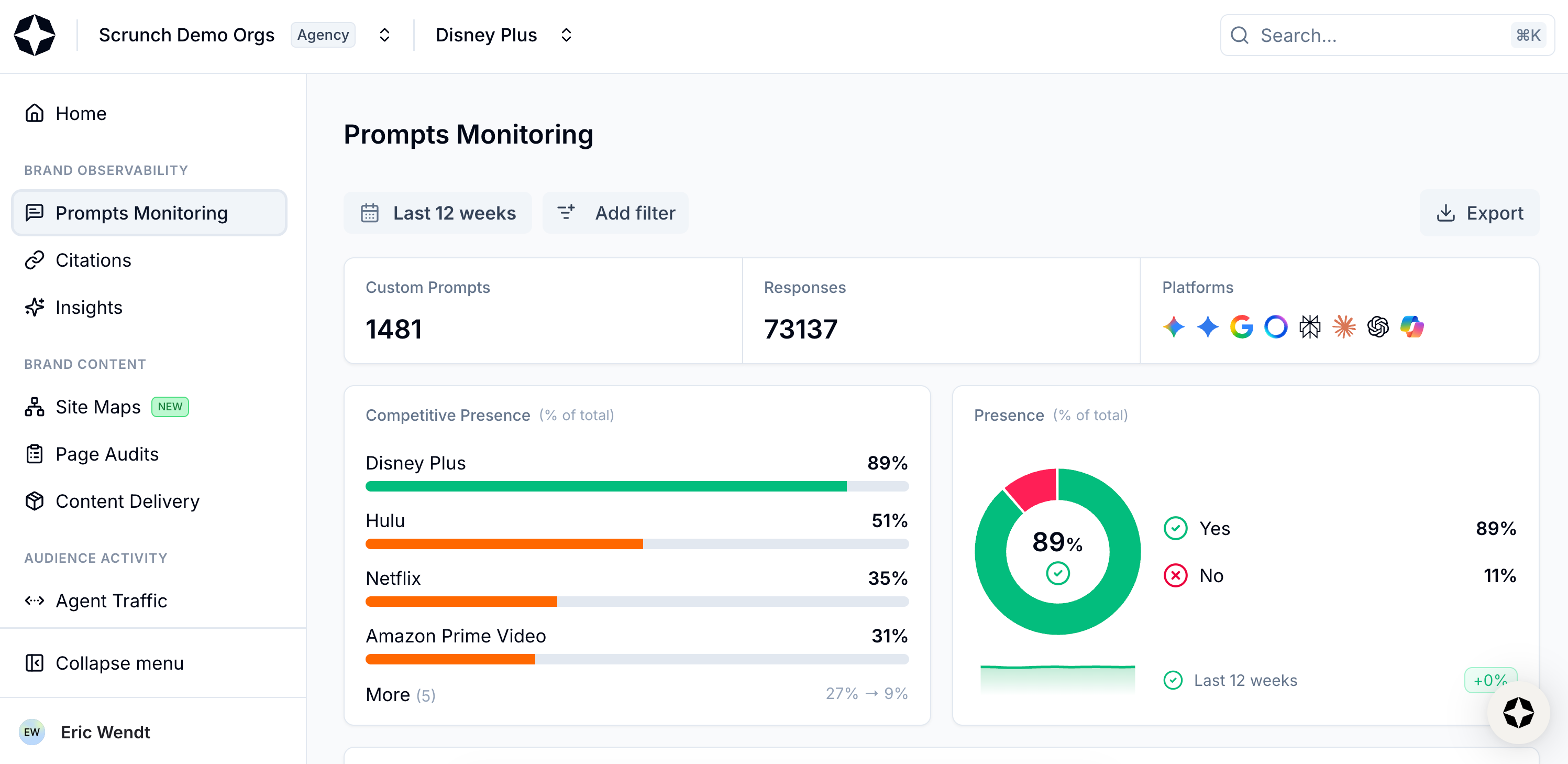
Select Prompts Monitoring from left-hand sidebar
Scroll down to the table of your Key Topics.
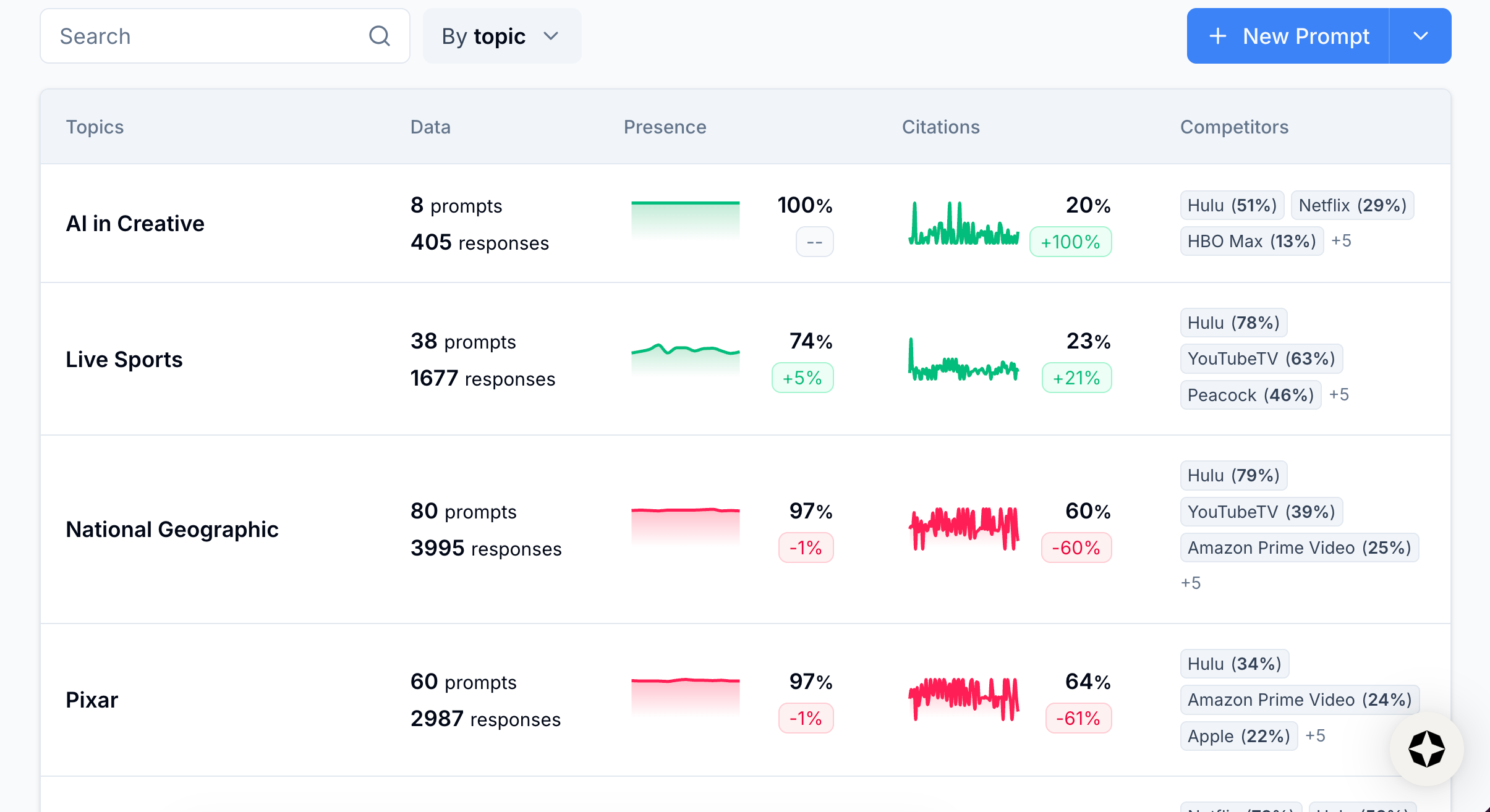
View Key Topics
📖 Scrunch definition: Key Topics
Key Topics are defined in the AI Context tab and represent major themes your brand wants to monitor (e.g., “cloud security,” “home insurance,” “retirement planning,” etc.). Once you've set your Key Topics, Scrunch will automatically group related prompts under each one. A single prompt can belong to multiple Key Topics depending on the intent and content. You can always assign or reassign prompts to Key Topics manually.
This table can be filtered by topic, tag, funnel stage, seed prompt, or prompt variant.
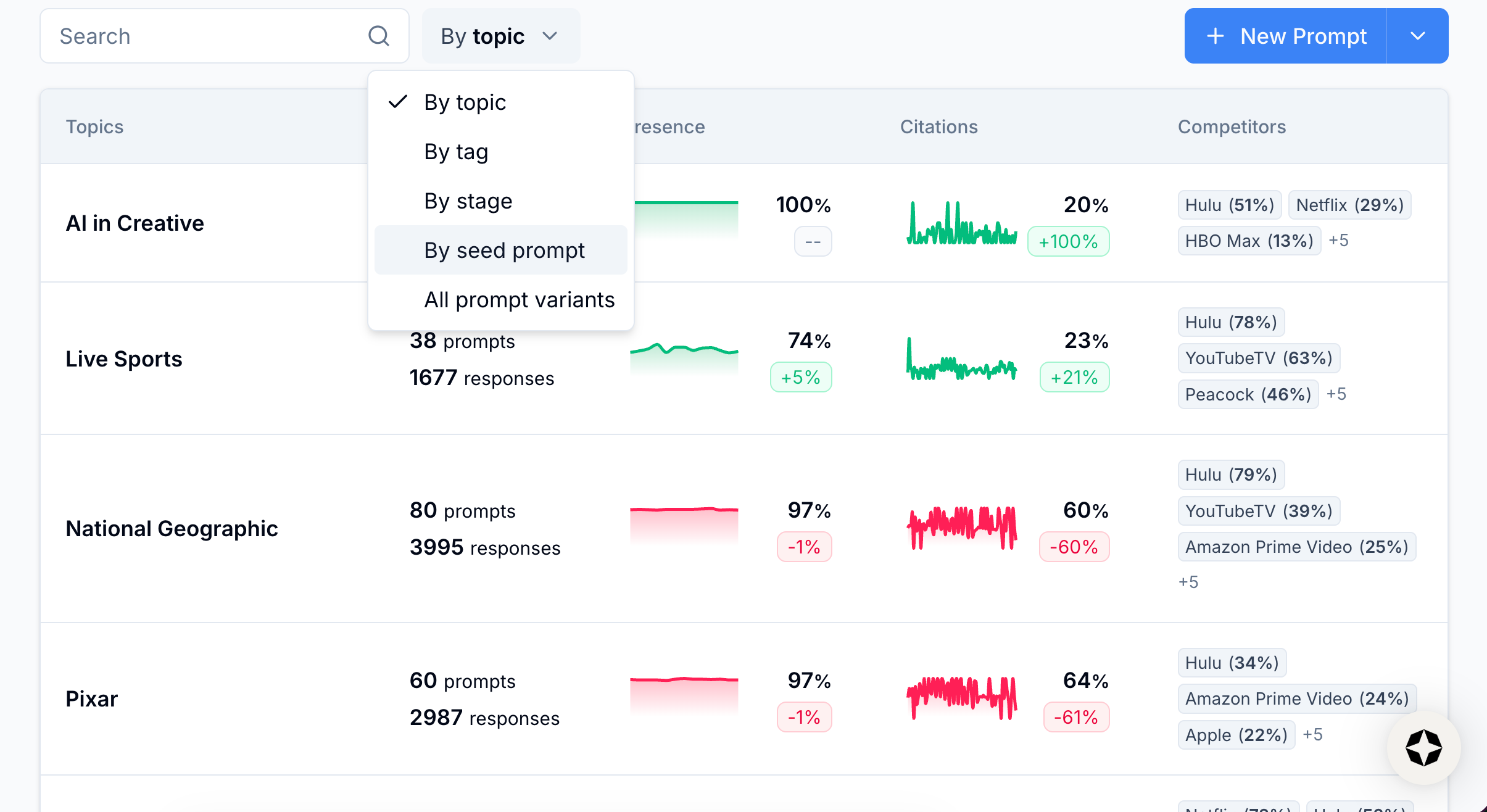
View filter options
Additionally, you can filter by time frame using the date selector at the top of the page.
Regardless of your filtered view, you’ll see a Competitors column at the far right that lists which competitors are present in AI responses as a percentage.

View Competitors
You can hover over the competitors’ names to see a full list of all competitors currently tracked by Scrunch.
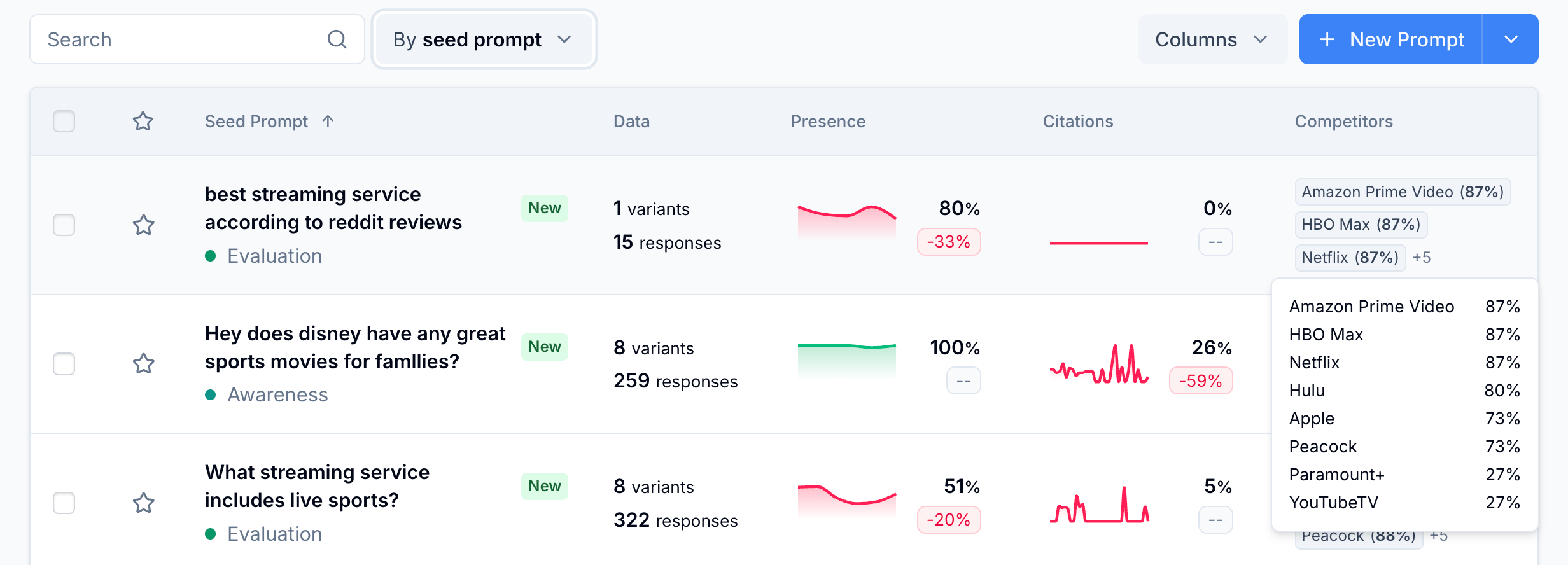
View list of competitors
You can then compare competitive presence in topics, prompts, and more against your own brand presence in the Presence column.
Click into a table row, drill down to the seed prompt level, and select a seed prompt.
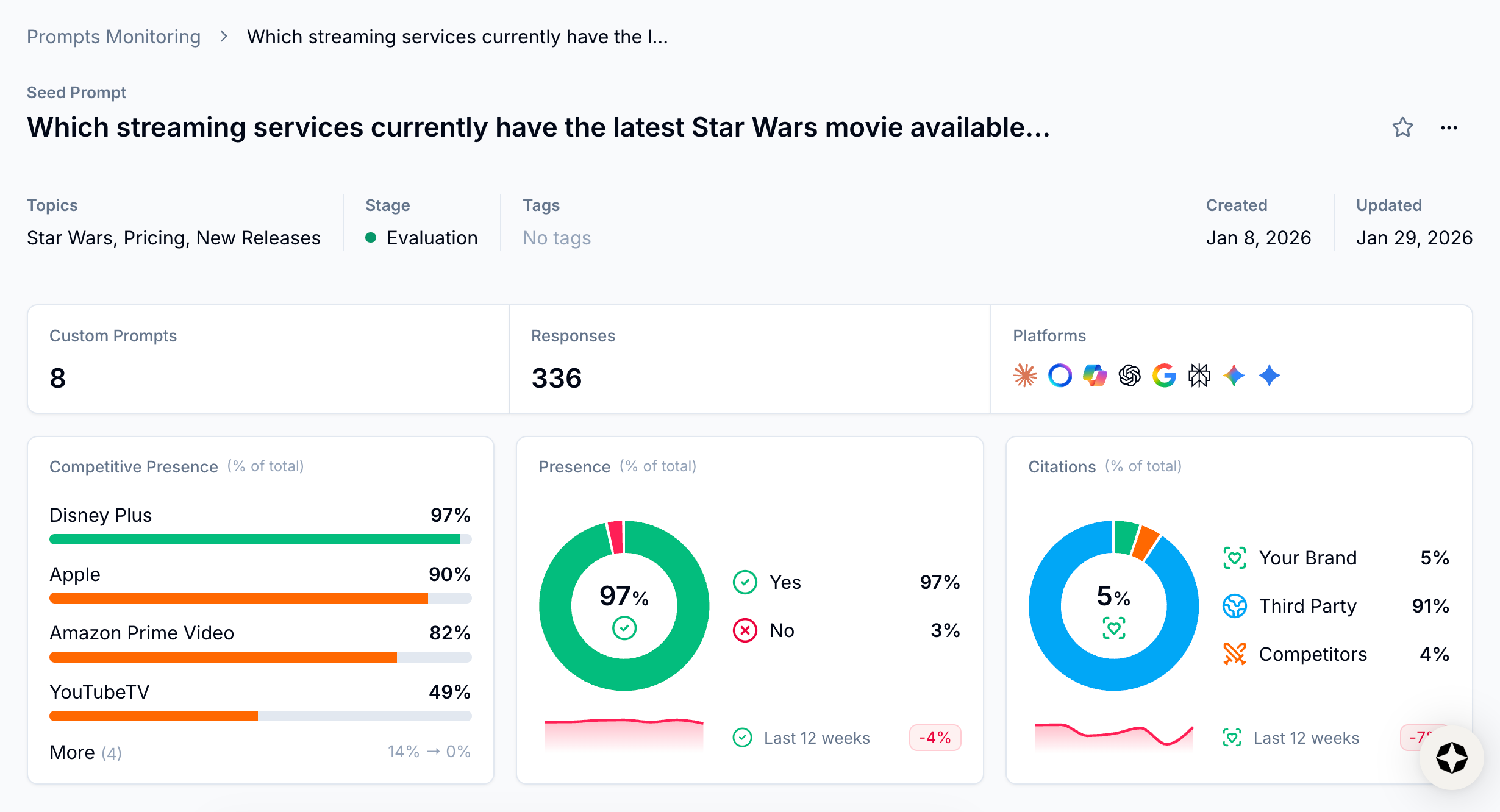
View seed prompt page
In addition to brand and competitive presence for the seed prompt in question, from here you can see all the prompt variants (i.e., the AI-platform-specific version of a seed prompt) you’re tracking, as well as brand and competitive presence for each variant.
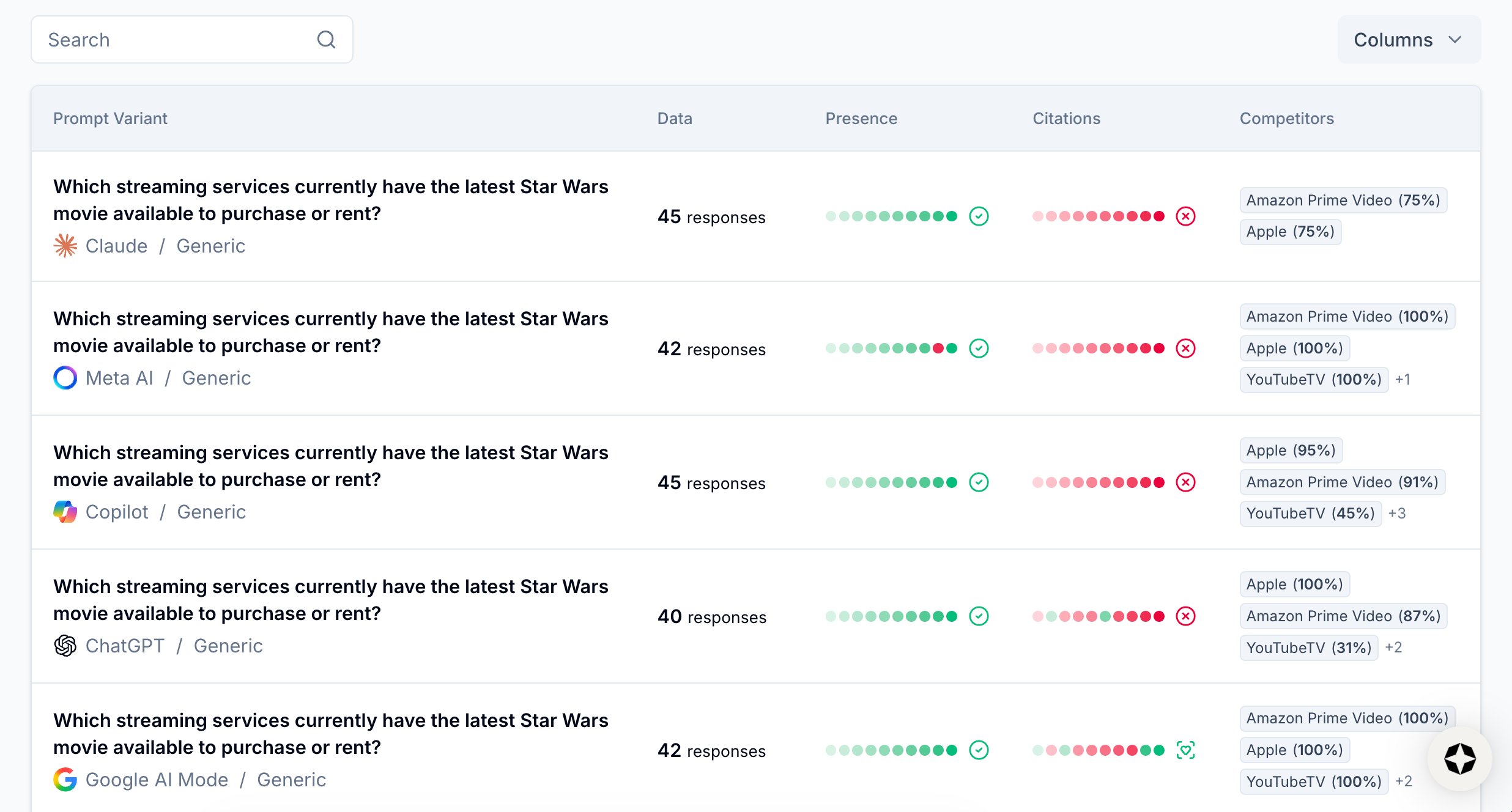
View prompt variants
💡 Pro tip: Scrunch recommends monitoring ChatGPT and Google AI Overviews at a minimum because they have the highest reach, but you can track brand presence across all supported AI platforms from your Scrunch workspace to ensure multi-LLM coverage.
Select a prompt variant.
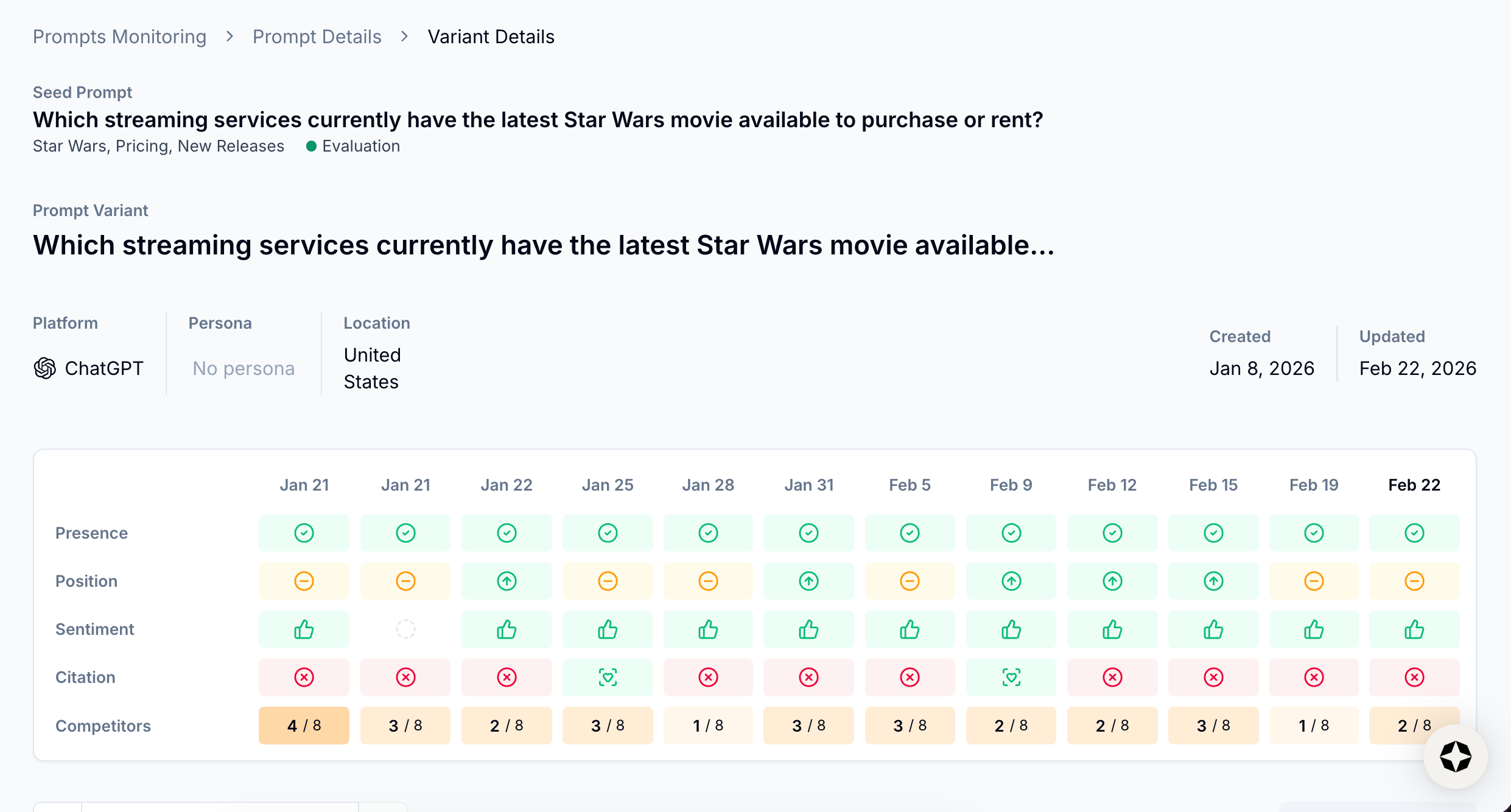
View prompt variant analysis
At the top of the page you’ll get a high-level overview of performance for this prompt, including whether your brand is present and how many competitors show up in responses.
Scroll down to the full read-out of the LLM response for that platform to see what a real-world answer looks like.
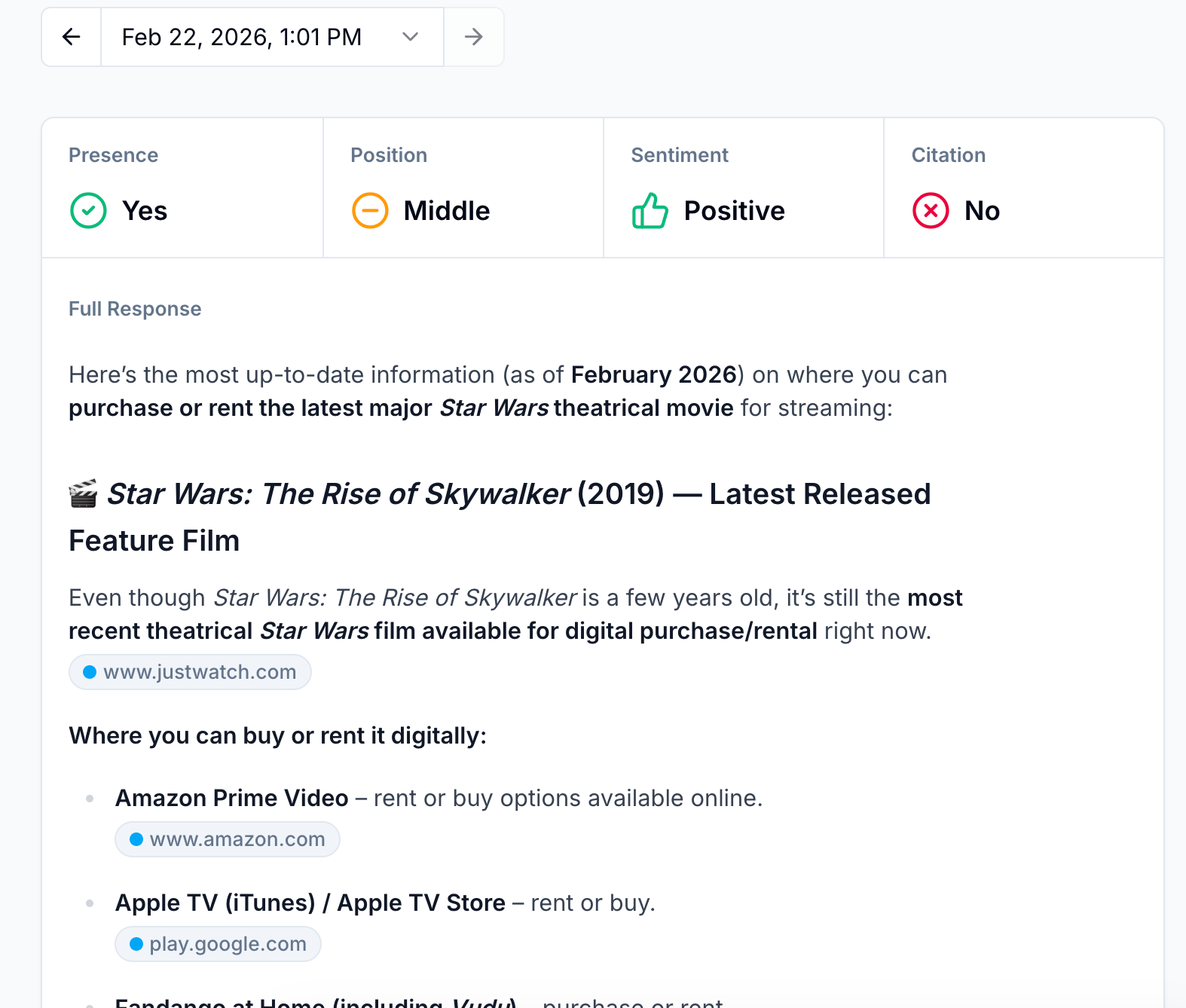
View AI response
To the right you’ll find panels for Competitive Presence and Citations, which list exactly which competitors are present in the AI response as well as which sources were cited.
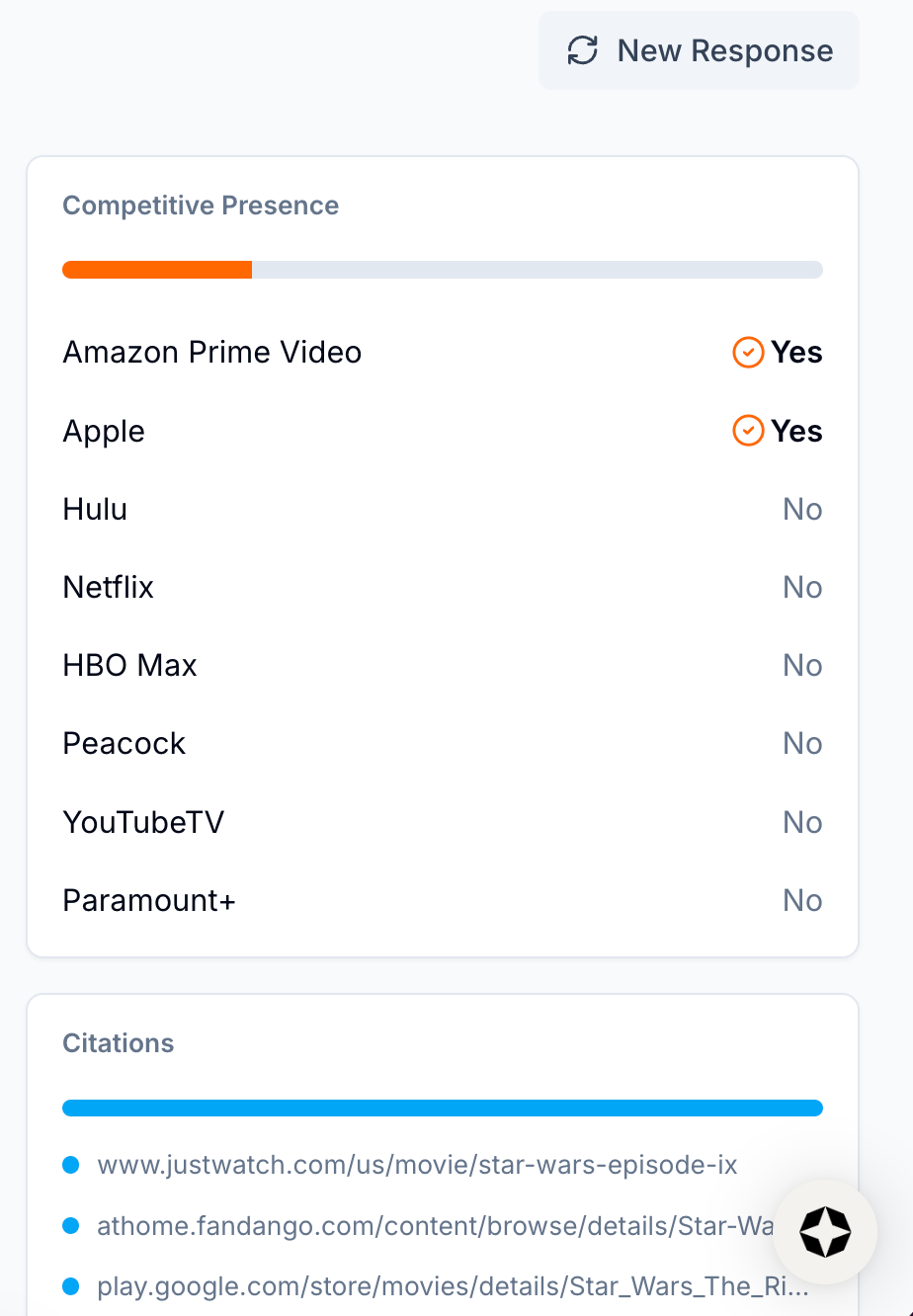
View Competitive Presence and Citations
It’s also possible to track AI share of voice by citations, the sources LLMs use to answer user questions.
The more that AI platforms cite your content, the better it is for your brand presence and answer accuracy.
Step 3: Track citation-level AI share of voice in the Citations tab
Navigate to the Citations tab.
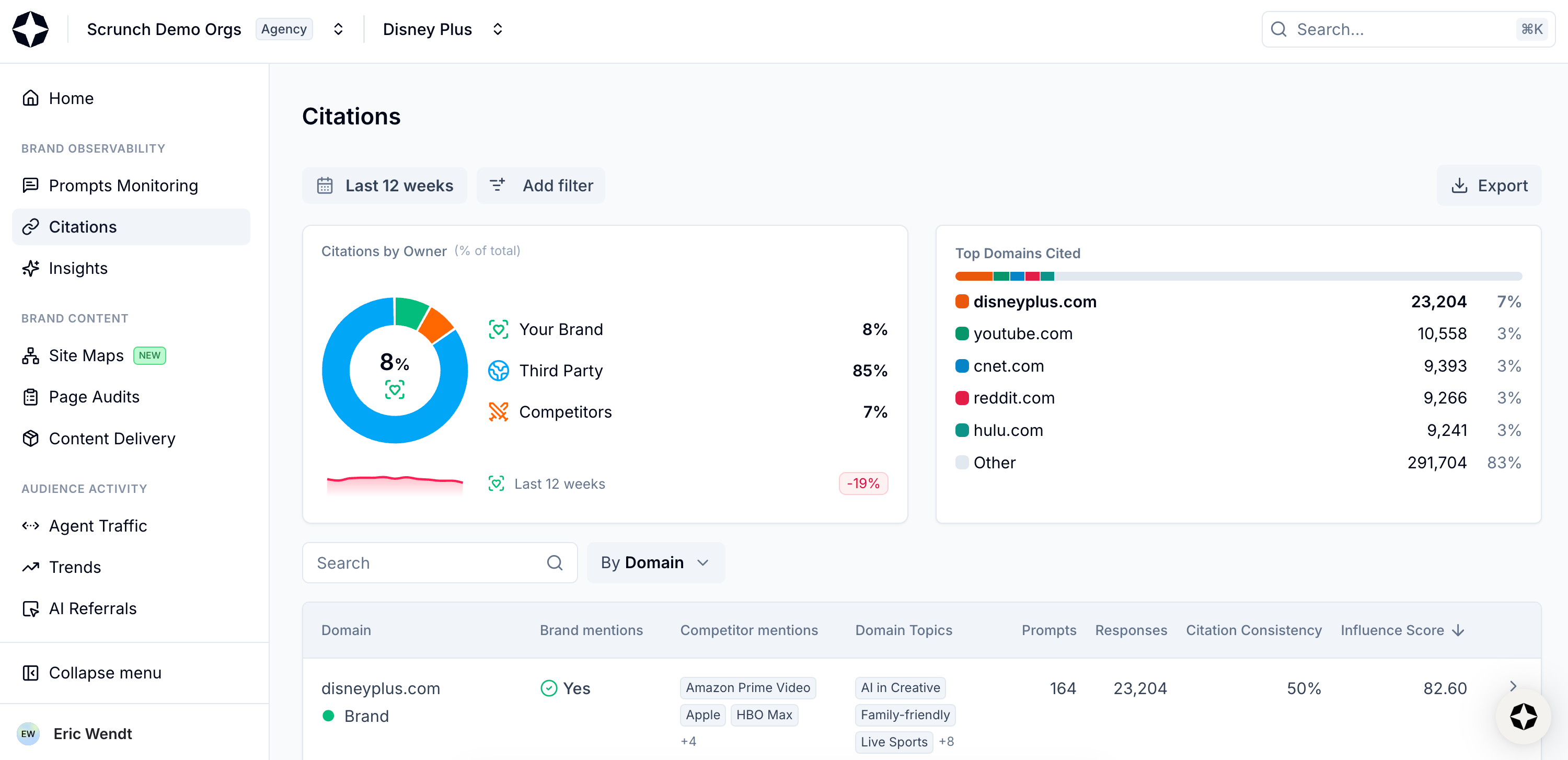
Select Citations from left-hand sidebar
At the top of the page you’ll see Citations by Owner and Top Domains Cited.
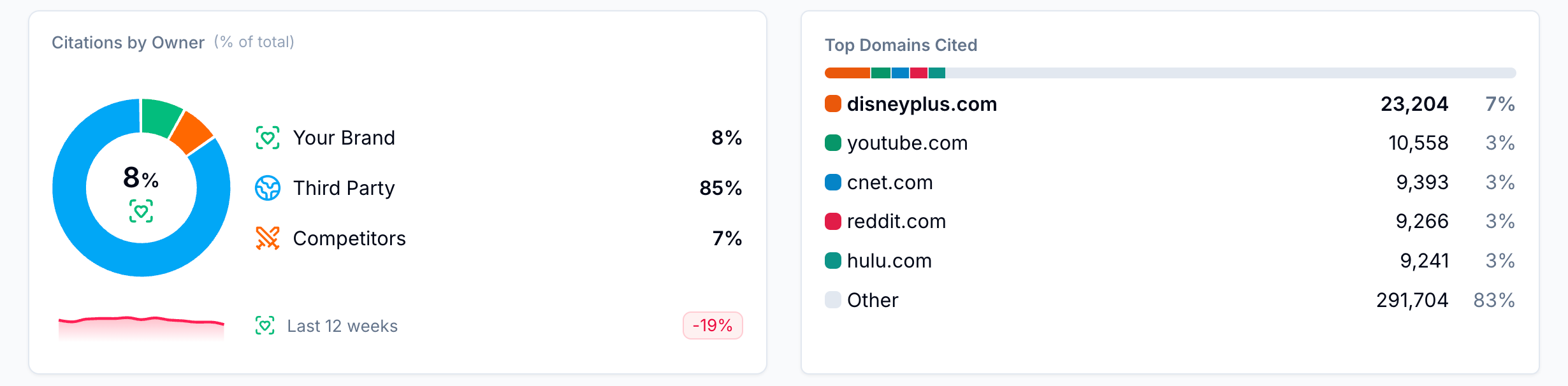
View Citations by Owner and Top Domains Cited
The former shows you the percentage of citations for tracked prompts that belong to either you, a competitor, or a third party.
The latter shows you a stack-ranked list of which domains are most often cited for the prompts you’re tracking.
Below is a sortable table of all currently tracked citations. Every time an AI platform answers one of your tracked prompts, Scrunch records exactly which webpages were cited.
You can view this table based on domain or specific URL. Depending on your view, you’ll see a Domain Topics or Page Topics column that shows you which of your Key Topics the cited content relates to.
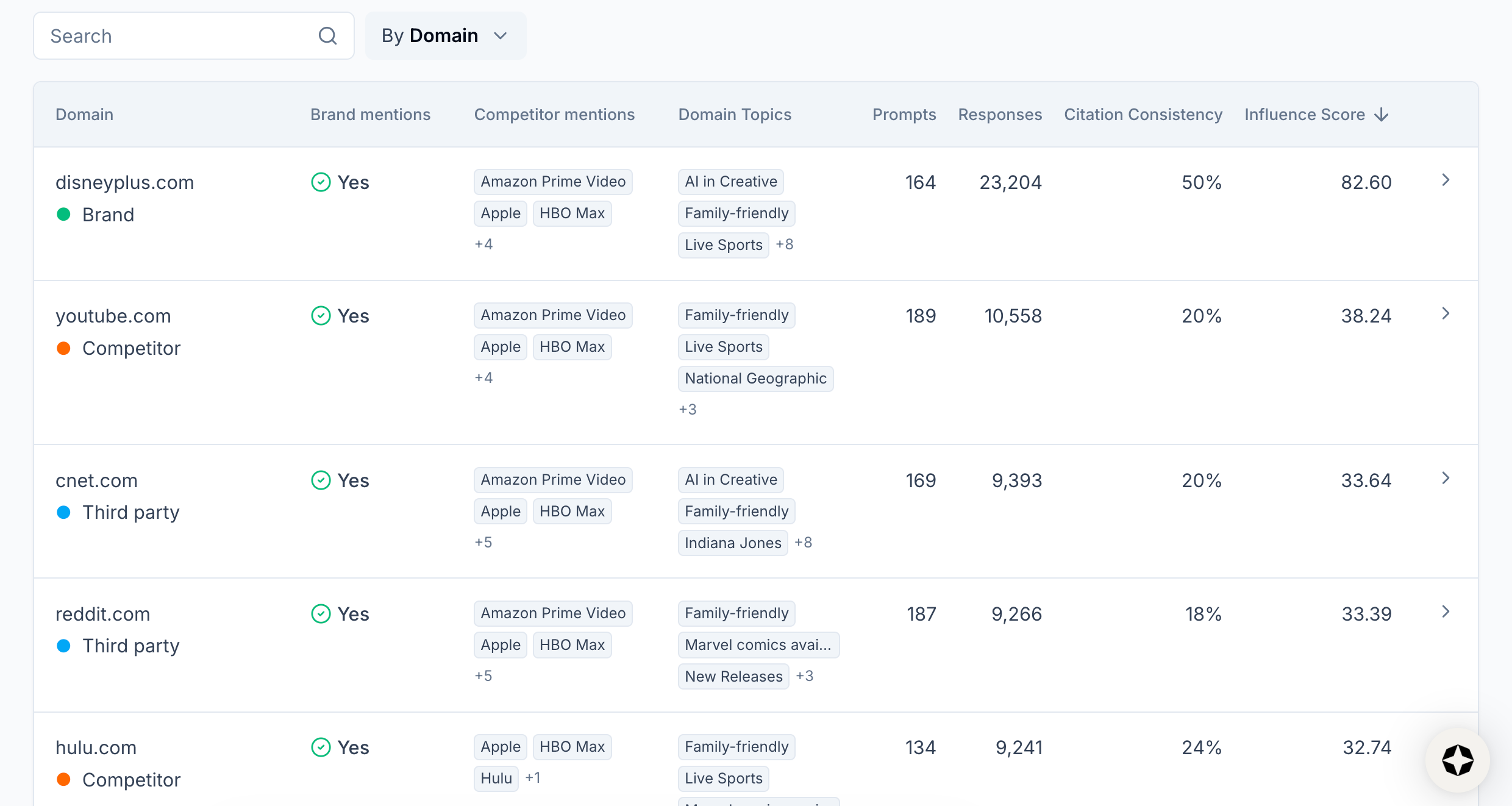
View Domain Topics or Page Topics
You’ll also see Brand Mentions and Competitor Mentions columns that show you whether your brand and which competitors are mentioned in a cited source.
As in the Home and Prompts Monitoring tabs, you can slice and dice your view of data in the Citations tab by date and filter, including Citation topic.
This information gives you everything you need to measure your AI share of voice, benchmark against competitors, and identify areas of opportunity to improve AI search performance.
What’s next
Start improving your AI share of voice:
- Compare to competitors: Identify top competitors that consistently appear in AI responses to target prompts and try to gain share of voice.
- Run a site audit: Fix access, delivery, or content issues hurting your visibility.
- Focus on citations first: They're the biggest driver of AI search visibility.
- Update or create content: Review competitive sources and update or create content to exceed content quality.
Share of voice versus competitors is a key performance indicator for AI search, but it’s not everything.
Scrunch recommends also tracking brand presence as a whole, citations, AI agent traffic, and AI referral traffic to get the full picture of brand performance and how it shapes business results.
Not a Scrunch customer yet? Start your 7-day free trial or request a demo to see Scrunch in action.