Agent Experience
Monitoring & Insights


Does Scrunch show me which AI search topics are growing in my industry?
- How do I track trending AI search topics?
- Where can I see rising topics in AI search?
Yes, Scrunch shows users which AI search topics are growing in their industry via its Trends feature, which includes estimated prompt volume over time, trend line visualizations, brand presence, brand sentiment, competitive presence, and sample prompts and responses.
Additional context: Scrunch estimates topic-level volume from a large-scale, privacy-compliant consumer panel. Treat trends as directional indicators of demand, not exact prompt counts—no AI platform currently shares native volume data.
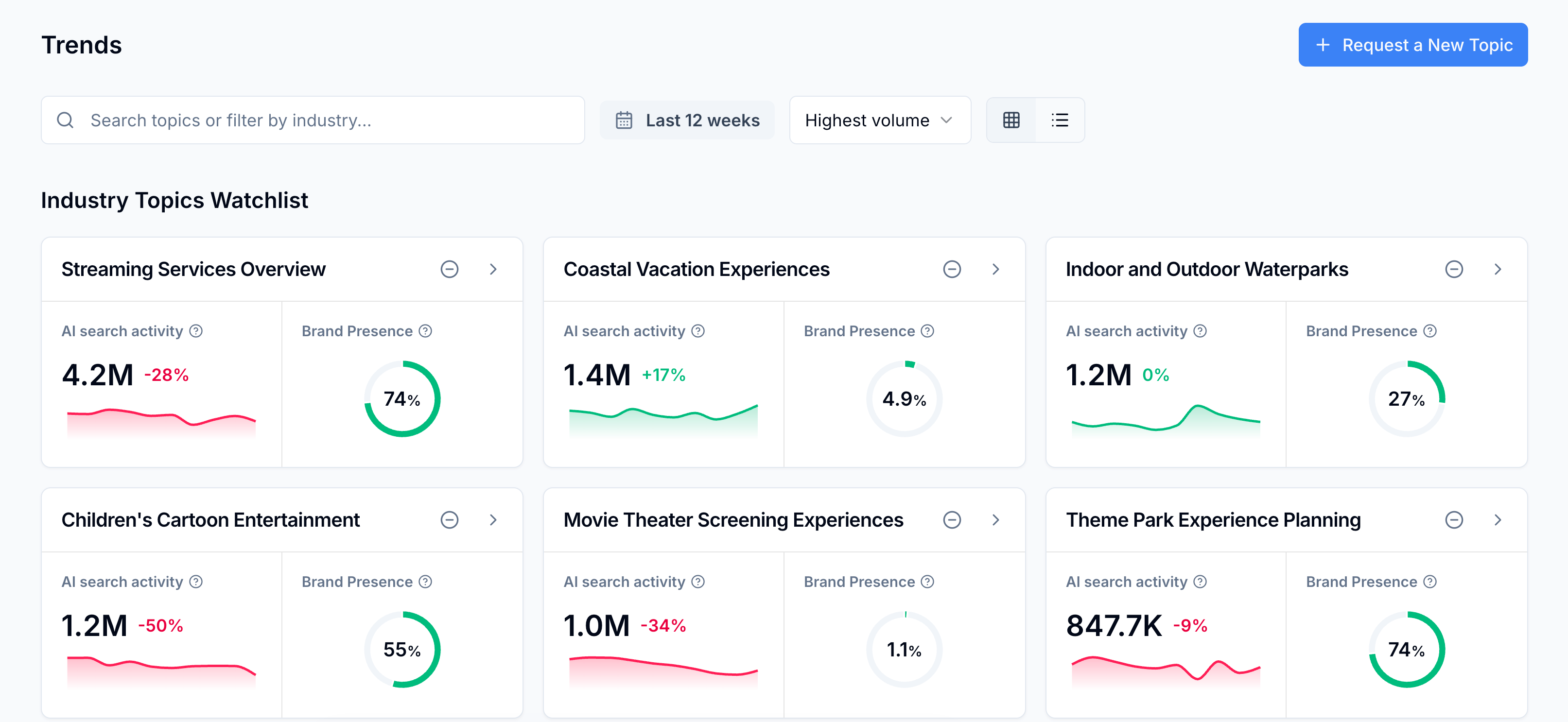
Example
For example, a Scrunch user can surface growing industry topics following this workflow:
- Open the Trends tab: Navigate to Trends in the left sidebar to view the Industry Topics Watchlist, which shows conversation volume, trend lines, and brand presence for each tracked topic.
- Sort by volume or trend: Use the dropdown menu at the top of the page to arrange topics by highest volume or highest trend, then adjust the date selector to view changes over a custom time period.
- Drill into Topic Details: Click any topic to open its Topic Details page for sentiment, competitive presence, top brands, and sample prompts that can be converted into tracked prompts with one click.
- Track new topics: Search by keyword or browse topics classified by North American Industry Classification Systems codes in the search bar. Click the "+" button to add a topic to the watchlist and begin tracking immediately.
Follow-up question: What if I can't find the industry topic I want to track?
If a topic isn't already in Scrunch, click the "Request a New Topic" button at the top of the Trends page. Scrunch reviews submissions and adds new topics to the platform monthly.